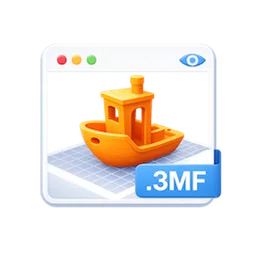
Preview3MF for MAC
Free, open-source Quick Look extension that shows a 3D preview and Finder thumbnails for .3mf 3D-printing files, no slicer needed.
Preview3MF Overview
Preview3MF is a free, open-source Quick Look extension for .3mf files, the 3D Manufacturing Format used by 3D-printing slicers. Select a .3mf file in Finder, press Space and you get a real 3D preview of the model, rendered with lighting, shading and materials, which you can orbit and zoom with a mouse or trackpad. It also adds proper Finder thumbnails for .3mf files, reusing the slicer's embedded preview image when there is one and rendering the model itself when there is not. You do not need to open Bambu Studio, PrusaSlicer or OrcaSlicer just to see what a file contains.
Preview3MF understands slicer projects, not just raw meshes: Bambu Studio and OrcaSlicer projects sit on the printer's real bed, show their filament colours and appear one plate at a time. An info overlay lists triangle and object counts, dimensions and, for those projects, the print profile, plus estimated print time and filament weight once a plate has been sliced. Version 1.0.27 shows colours painted onto a model in Bambu Studio and OrcaSlicer. After installing, you launch the app once and enable its two extensions in System Settings › Privacy & Security › Extensions › Quick Look. Preview3MF is made by Cavan O'Connor under the MIT license, needs macOS 13 or later, is a universal app for Apple Silicon and Intel Macs, is signed and notarized by Apple and updates itself.
Key Features
Preview3MF lets you look inside a 3D-printing file straight from Finder.
- Quick Look preview: press Space on any .3mf file to see the model in 3D.
- Interactive controls: orbit and zoom, with an auto-rotate you can pause.
- Finder thumbnails: rendered icons for .3mf files on every Finder view.
- Filament colours: Bambu Studio and OrcaSlicer projects preview in their real colours.
- Build plate: slicer projects sit on the printer's real bed size.
- Plate paging: multi-plate projects show one plate at a time with a plate switcher.
- Model info overlay: dimensions, triangle and object counts and the print profile.
- Automatic updates: new versions are signature-checked before they install.
What’s New in Version 1.0.27
Preview3MF 1.0.27 improves colours and thumbnails.
- Shows colours painted onto a model in Bambu Studio and OrcaSlicer
- Follows the brush where paint covers only part of a triangle
- Finder thumbnails now fill the whole card
- Light mode gets a grey backdrop so pale models stay visible
Preview3MF FAQ
Is Preview3MF free?
Yes. Preview3MF is free and open source under the MIT license.
What does Preview3MF do?
It adds Quick Look support for .3mf files on the Mac. Press Space on a .3mf file in Finder to see a 3D preview of the model, and Finder shows rendered thumbnails for those files.
Do I need a slicer to view .3mf files with it?
No. Preview3MF reads .3mf files directly, so you can check a model without opening Bambu Studio, PrusaSlicer or OrcaSlicer.
How do I turn on the Quick Look preview?
Move Preview3MF.app to Applications and launch it once. Then open System Settings › Privacy & Security › Extensions › Quick Look and enable both PreviewExtension and ThumbnailExtension. If the preview does not appear straight away, running qlmanage -r in Terminal resets the Quick Look cache.
Does it show the colours from my slicer project?
Yes. It reads the filament colours from Bambu Studio and OrcaSlicer projects and also supports the standard 3MF colour groups. Version 1.0.27 adds colours painted onto a model in Bambu Studio and OrcaSlicer.
Can it show print time and filament use?
Yes, for Bambu Studio and OrcaSlicer projects. The info overlay shows the print profile and, once a plate has been sliced, its estimated print time and filament weight, along with triangle count, object count and dimensions.
How does it handle projects with several plates?
Multi-plate projects show one plate at a time with a plate switcher, using the plate names set in the slicer.
Which macOS version does Preview3MF need?
It needs macOS 13 or later and is a universal app that runs natively on Apple Silicon and Intel Macs.
Is Preview3MF signed by Apple?
Yes. Release builds are signed and notarized by Apple, so Gatekeeper opens them without a warning. The app also checks for updates and verifies each one before installing it.
Where does the Preview3MF download on preview3mf.FULLMAC.app come from?
The download button leads to the official Preview3MF release page on GitHub at https://github.com/cavoco/Preview3MF/releases/latest. preview3mf.FULLMAC.app does not change or repackage the app.
Similar Apps
 Wings 3DWings 3D is an advanced subdivision modeler that aims to be both powerful and easy to use. It was inspired by Nendo and Mirai from Izware, and offers a wide range of modeling tools, a customizable interface, support for lights and materials, and a built-in AutoUV mapping facility. It concentrates on modeling: Wings 3D has no support for animation. Its import and export plugins cover formats such as OBJ, 3DS, PLY, glTF and Collada.Graphic Design
 FreeCADFreeCAD is a free parametric 3D modeler for designing real-world objects of any size, from small parts for 3D printing to machines and buildings. Parametric means your model is built from a history of steps and dimensions, so you can change a measurement later and the whole model updates. FreeCAD has workbenches for part design, sketching, assemblies, technical drawings, simulation (FEM), CNC machining (CAM) and architecture (BIM), and it opens and saves standard formats such as STEP, IGES, STL and DXF.Graphic Design
 BlenderBlender is a free, open-source 3D creation suite. In one app it covers modeling, sculpting, texturing, rigging, animation, simulation, rendering, compositing, motion tracking and even video editing, and it is used by hobbyists, studios, game developers and architects around the world. Blender is developed by the Blender Foundation and a large community, and released under the GPL license, with no subscriptions or paid features.Graphic Design
 ItsPaintItsPaint is a small paint and markup app for the Mac, built around a simple job: take or paste a screenshot, number the steps, point at things and drag the finished image into a bug report or a document. Its developer sums it up as MS Paint for the Mac. It marks up images with numbered step badges, arrows and callouts, a highlighter, pixelation and a spotlight that dims everything outside a box, and it paints too, with thirteen tools including pencil, brush, eraser, clone, fill and Instant Alpha selection.Graphic Design
 BirdfontBirdfont is a font editor for Mac that lets you create vector graphics and export them as TTF, OTF and SVG fonts. It supports both monochrome and color font formats, so it suits ordinary typefaces as well as color fonts. Its release notes describe a dedicated ligature tab, spacing classes, anchor glyphs, a color wheel, and the option to import another font and merge it with the one you are working on.Graphic Design
 SeashoreSeashore is an easy-to-use image editor for macOS with support for layers. Its developer describes it as a light GIMP or Photoshop, with most of the features non-professionals need to create images. It has brushes, a pencil, an eraser, clone and smudge tools, gradients, a fill bucket, a text tool, cropping and several selection tools, plus effects such as blur, bloom and crystallize.Graphic Design
FULLMAC.app does not host this app. Download buttons lead to the developer’s own pages.